
PassportPro AI
Choose Photo
Drag & drop or click to browse
💡 Pro Tip: Drag the image in the box to reposition head.
Real-time Smart Preview
Professional Passport & Visa Photo Generator
Stop paying for expensive studio visits. Our Passport Photo Maker allows you to create professional ID photos from the comfort of your home. Whether you need a photo for an Indian Passport (3.5×4.5 cm), a US Visa, or a student ID, our tool ensures your photo meets official requirements.
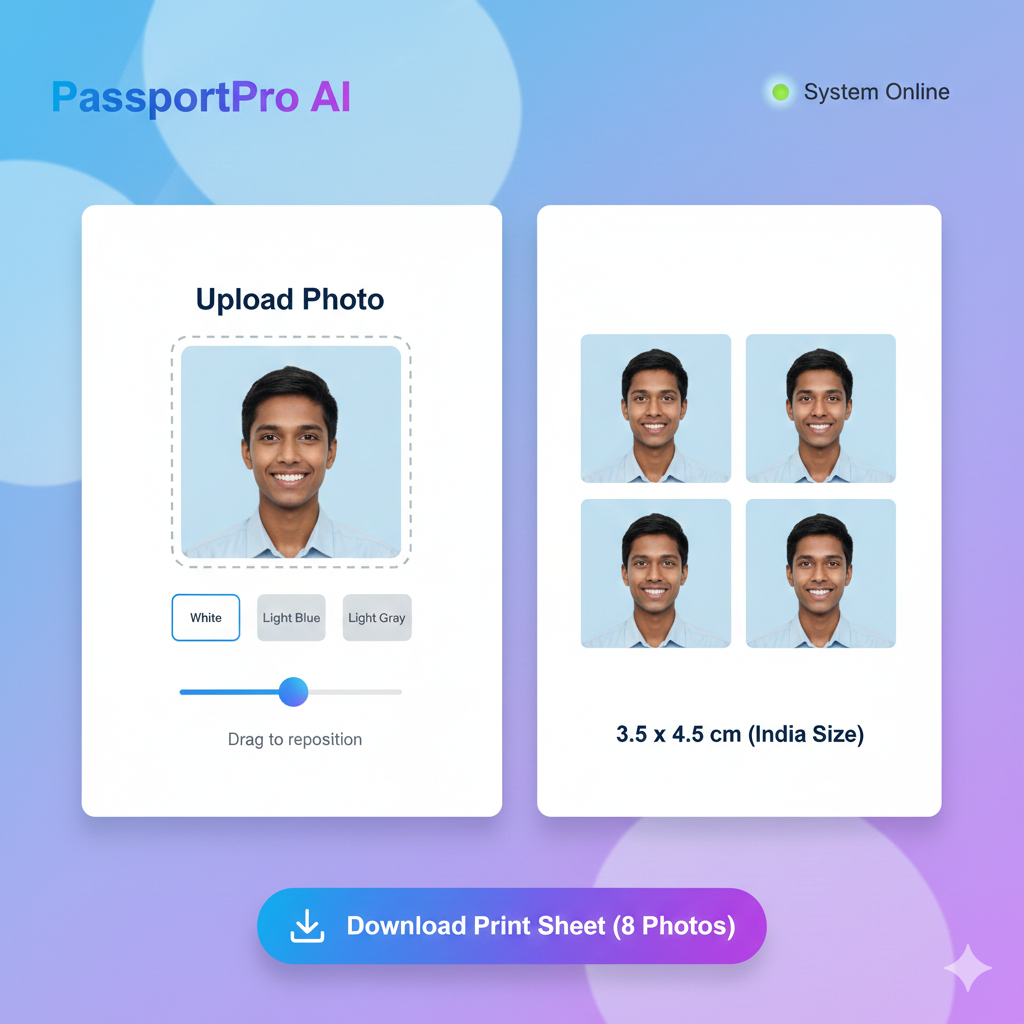
Why use this tool?
- Automatic Cropping: Instantly crop your photo to the exact 3.5cm x 4.5cm ratio required for Indian documents.
- Background Selector: Official documents often require a white or light blue background. You can change yours with one click.
- Privacy First: We don’t save your photos. All processing happens inside your browser, keeping your data 100% private.
- High Resolution: Download your result in 300 DPI high-definition JPG format, ready for printing.
How to use the Passport Photo Maker?
- Upload: Select a clear photo where you are facing the camera directly.
- Adjust: Use the Zoom Slider and drag the photo to align your face within the frame.
- Set Background: Choose White or Blue as per your document’s needs.
- Download: Select your preset (e.g., India Passport) and click Download JPG.
Frequently Asked Questions (FAQs)
Q: What is the photo size for an Indian Passport? A: The official size is 35mm x 45mm (3.5cm x 4.5cm). The head should be centered and occupy about 70-80% of the photo area.
Q: Can I use a selfie for my passport photo? A: Yes, as long as it is high quality, taken against a plain background, and you are looking straight at the camera without tilting your head.
Q: Is this tool free for multiple photos? A: Yes! You can create and download as many photos as you need without any hidden costs or registration.
