
SocialGen
System Online
New Message
High-quality .PNG export ready for sharing.
Create Fake Chat Screenshots Online Free
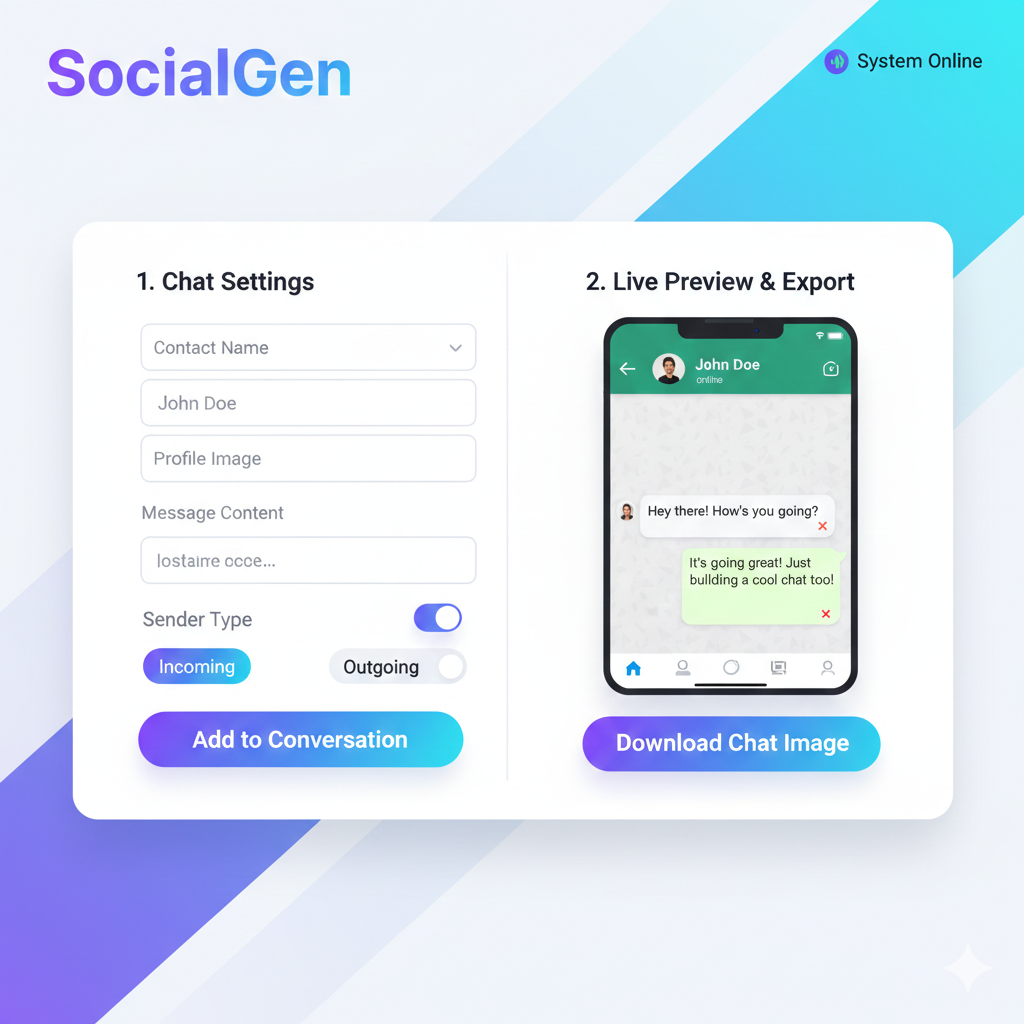
Our free Fake Chat Generator allows you to easily create realistic chat screenshots in seconds. You can customize the contact name, profile photo, and messages to simulate a real conversation, then download the image instantly.
This tool is perfect for creating fun social media posts, memes, storytelling content, or demonstration examples. Everything runs directly in your browser, so your chats remain private and secure.
Why Use This Fake Chat Maker?
- Create realistic chat-style conversations
- Customize name, profile image, and messages
- Add multiple chat bubbles easily
- Preview chat live before downloading
- Download high-quality chat screenshot instantly
- Works on mobile, tablet, and desktop
How to Create a Fake Chat
- Enter the contact name and upload a profile image.
- Type messages and choose sender or receiver style.
- Add multiple messages to build your conversation.
- Preview the chat layout.
- Click Download Chat Image to save it.
Who Can Use This Tool?
This fake chat creator is useful for:
- Social media creators making fun posts
- Meme pages creating viral content
- Students making presentation examples
- Story creators showing conversations
- Anyone wanting to simulate chat screenshots
Privacy and Safety
All chats are generated locally in your browser and are not stored on any server. Use this tool responsibly and avoid creating misleading or harmful content.
